



Sing it once · hear another voice
REVOX turns a recorded vocal into another voice, right inside your DAW. It's built on the open-source RVC v2 voice conversion system and loads the standard community voice models. It isn't a live effect. You capture a pass, REVOX converts it in the background, then plays the new voice back in perfect sync with your session. Everything runs on your own machine, so your audio never leaves it.
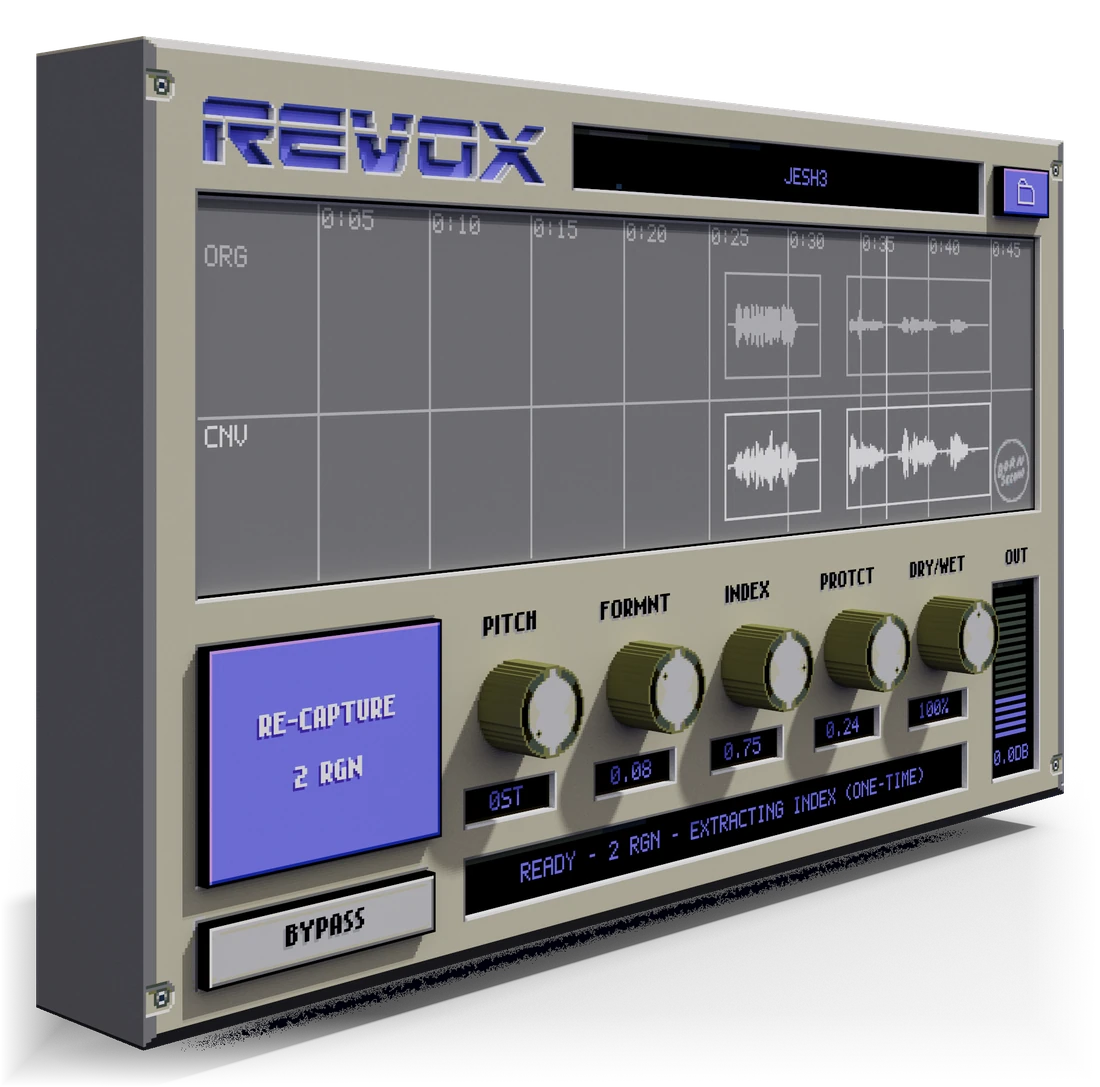
Capture · convert · play
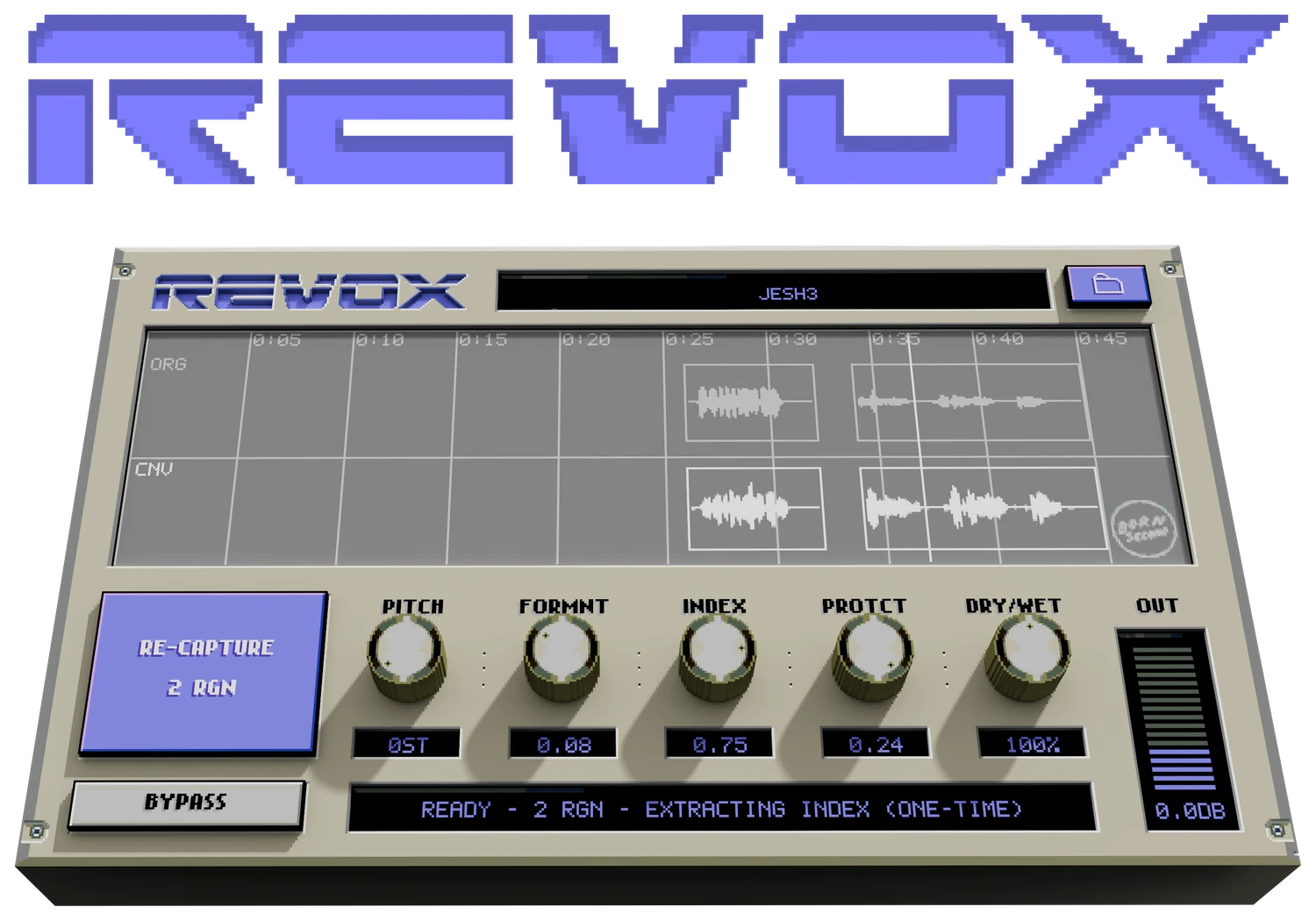
- Insert REVOX on a vocal track and click the name-plate to pick a voice.
- Press CAPTURE, play the section through the plug-in, press STOP.
- The converted take appears in the CNV lane and plays back sample-aligned with your timeline.
- Turn the knobs and regions re-render on their own, fast. The heavy analysis is cached, so only the synthesizer runs again.
- Drag a converted region off the screen to drop its WAV onto a track.
Five knobs · one screen
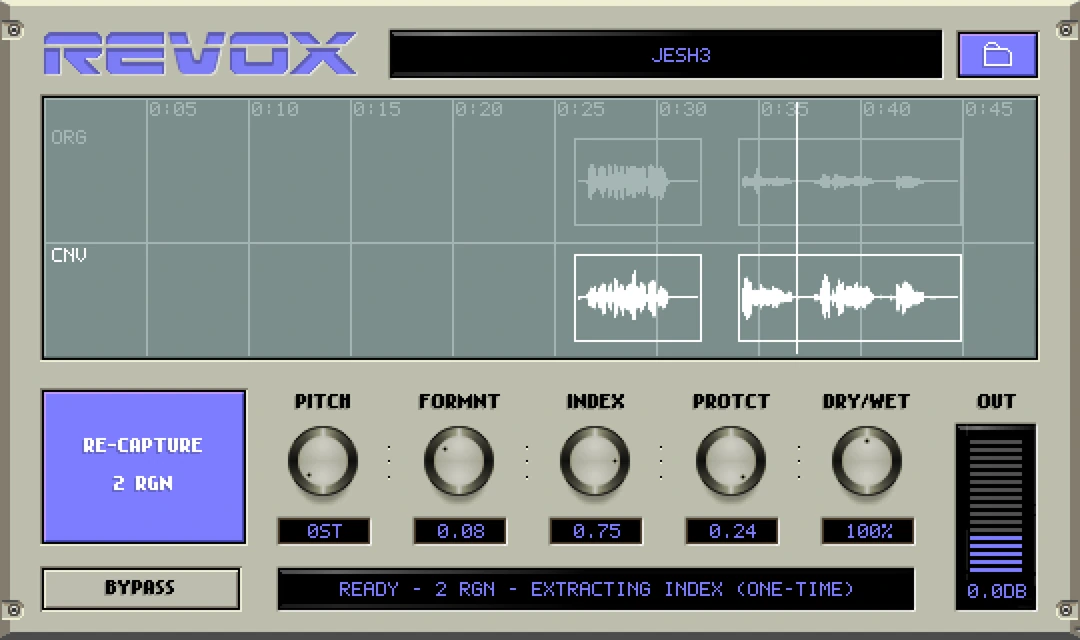
- PITCH - shifts the new voice ±24 semitones. +12 is typical going from a low voice to a high one, 0 for like-to-like.
- FORMNT - formant tilt. Subtle in this beta, with a full formant engine on the way.
- INDEX - how much of the target voice's own timbre to pull in, using the model's .index file. Higher is more of them, lower is more of your articulation.
- PROTCT - keeps your original consonants and breaths crisp. Below 0.5 it protects, 0.5 is off, and 0.2-0.35 is a good start when INDEX is high.
- DRY/WET - blends the converted voice with your original take.
- OUT - output level from -24 to +12 dB, with a meter.
- BYPASS - instant A/B against the dry vocal.
Right-click the faceplate for 1× / 2× / 3× size. The status bar always tells you what the engine is doing.
Your voices, your machine
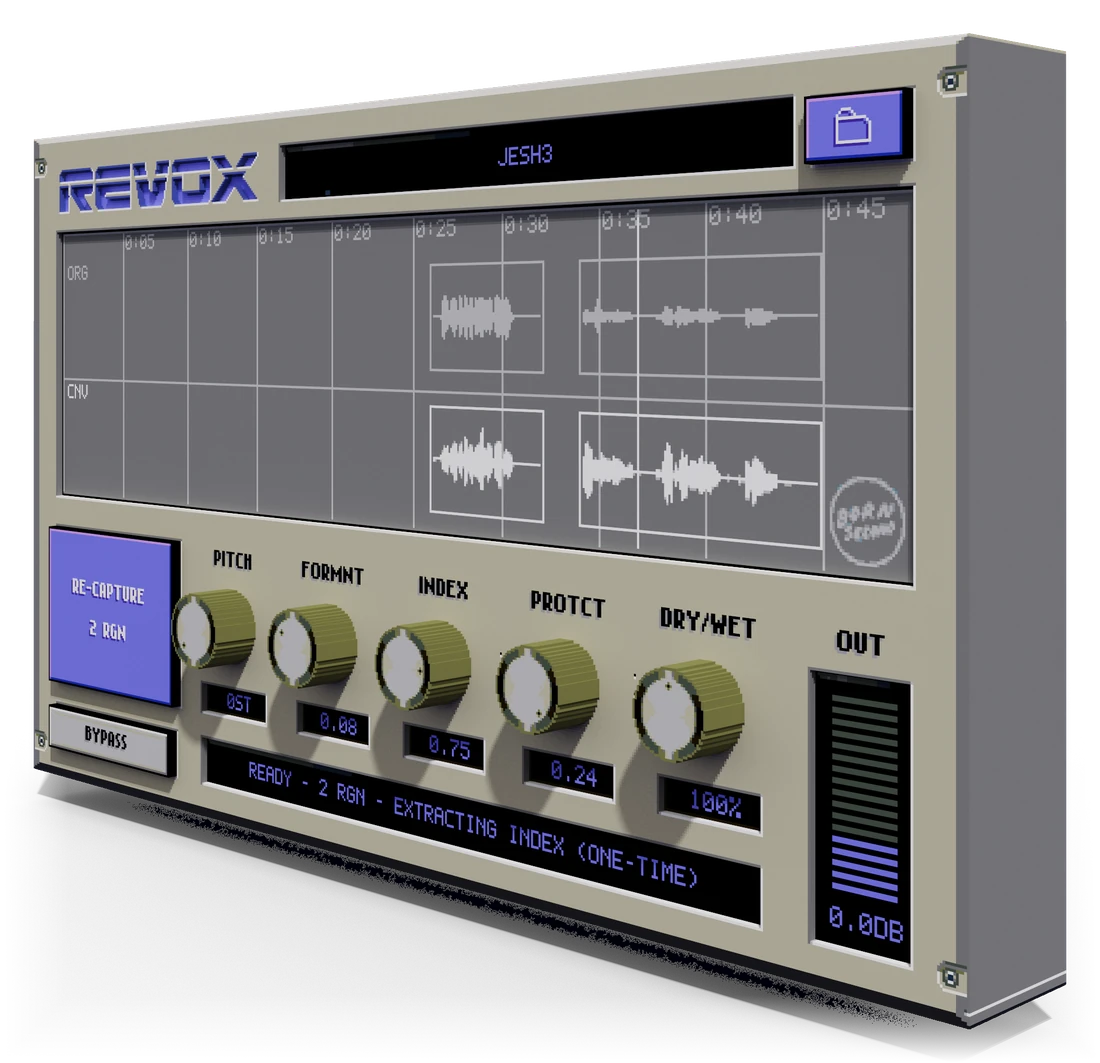
Drop any standard RVC v2 model into Documents / REVOX / Models. A .pth model is converted natively in a few seconds the first time you use it, with no Python and no setup. .onnx models load directly, and a model's .index file powers the INDEX knob. Conversion runs on your Apple Silicon GPU through CoreML or any DirectX 12 GPU through DirectML, and falls back to the CPU automatically. The engine also runs in its own isolated process, so a misbehaving model can never take your DAW session down with it.
Voice consent: only convert to voices you own or have the rights to use. No voice models ship with REVOX. The voices, and the responsibility, are yours.
Get Info
| Kind | Audio effect - AI voice conversion (capture-based) |
| Engine | RVC v2 architecture · ONNX Runtime · RMVPE neural pitch tracking · isolated engine process |
| Voice models | Community RVC v2 .pth (32k / 40k / 48k, f0) and .onnx, with optional .index |
| Acceleration | CoreML (Apple Silicon) · DirectML (any DX12 GPU) · automatic CPU fallback |
| Formats | VST3 + AU (macOS), VST3 (Windows) - 64-bit · Linux x86-64 build |
| Privacy | All conversion on-device. Audio never leaves your machine. |
| Install | One-time ~700 MB download of the shared AI models |
| Demo | Free. The demo converts the first 15 seconds of each capture; a license key unlocks the rest |
| Beta limits | Mono processing (inputs are summed) · roughly real-time rendering on CPU |
REVOX is built on the open-source Retrieval-based Voice Conversion (RVC) project. No voice models are included. All trademarks are property of their respective owners. VST is a trademark of Steinberg Media Technologies GmbH.
Downloads
Manuals
User Manual (PDF)About the demo
Fully working, and converts the first 15 seconds of each capture. Buy a license and paste the key in via the folder button to unlock the rest.
Mailing list

Join the mailing list?
New instruments, Squimpler sample packs, and preset drops. A few emails a year - we're busy soldering.